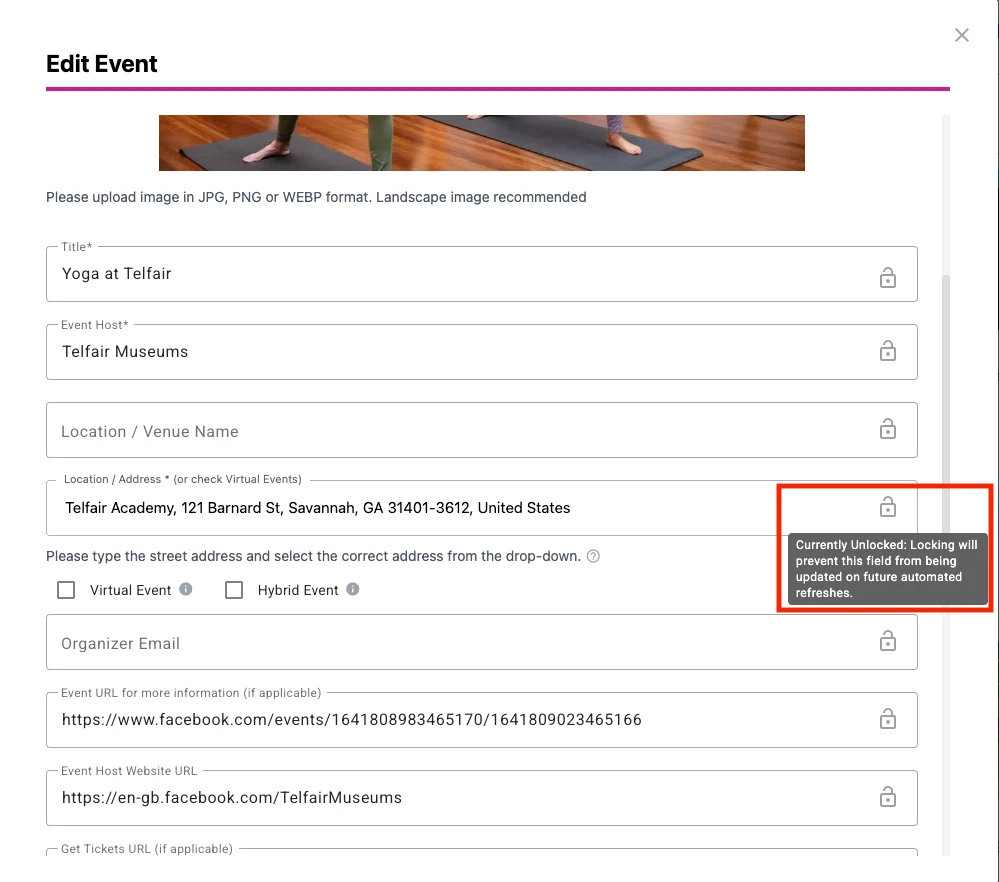
You can now lock individual fields within the Edit Event window to prevent them from being overwritten during automatic updates. This functionality lets you to preserve manual changes while still allowing other fields to continue receiving automatic updates.
How It Works
Each editable Event Detail field now includes a Lock icon.
When a field is locked:
- Any manual changes you've made to that field will be preserved.
- Automatic system updates will continue for other fields that remain unlocked.
This gives you more control over which event information stays fixed and which information continues syncing automatically from online sources.
Visible Labels Noting Lock Status
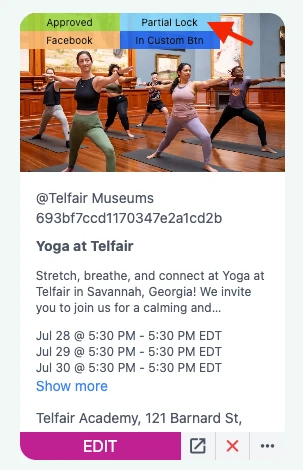
Partial Lock: If one or more fields are locked, but not all editable fields, the event will display the Partial Lock label.
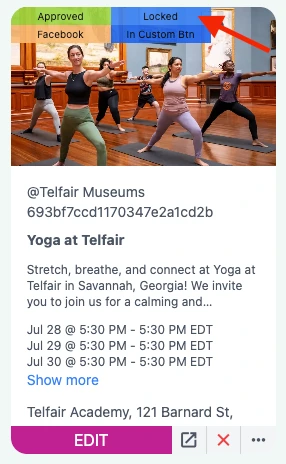
Locked: If all editable fields are locked, the event will display the Locked label.
New: Automatic Locking of Manually Edited Fields
Whenever you manually edit a field, it will automatically become locked to prevent your changes from being overwritten during future automatic updates.
Action Step: If you'd like that field to continue receiving automatic updates, simply unlock it after saving your changes.
Pro Tip: Use Save to save your changes while keeping only the fields you've edited locked. Select Save & Lock All Fields to lock every editable field and prevent all future automatic updates for that event.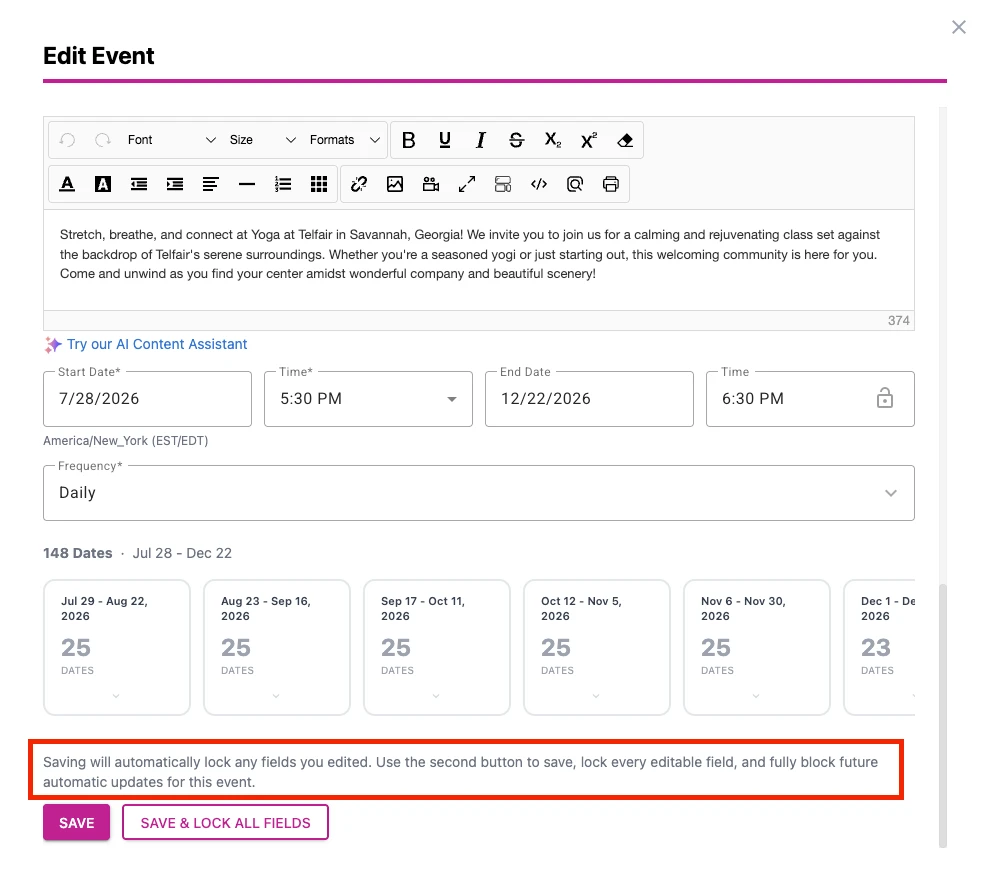
Was this article helpful?
That’s Great!
Thank you for your feedback
Sorry! We couldn't be helpful
Thank you for your feedback
Feedback sent
We appreciate your effort and will try to fix the article