New this December are two exciting updates to the ITI Digital Places Modules!
New capabilities in the AI Description Generator:
Step 1: Select the Places you want to update
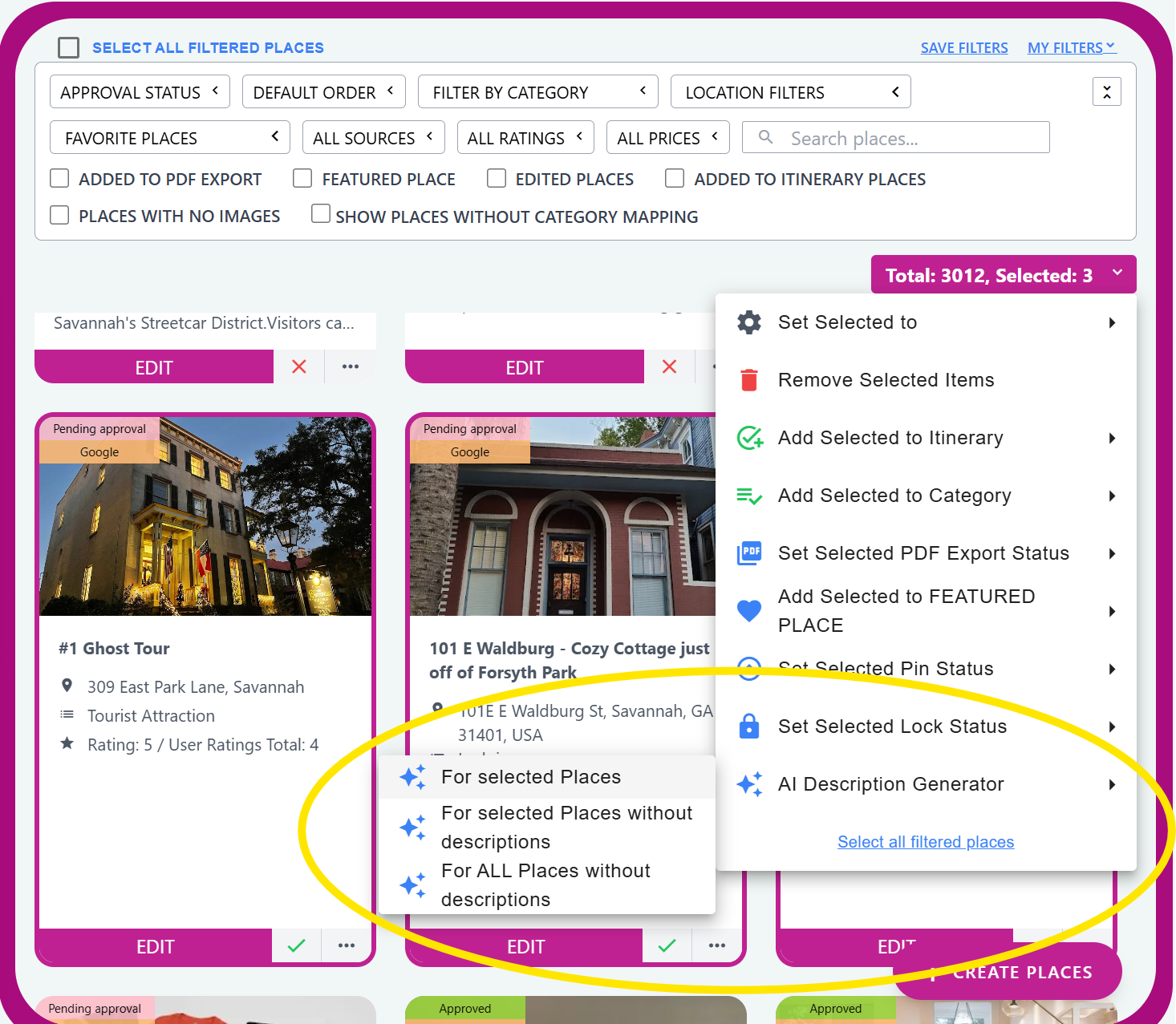
Step 2: Open the dropdown and choose AI Description Generator
Choose one of the following options:
- For Selected Places: generates a description for the selected Place listings
- For selected Places without descriptions: will generate descriptions for only the selected Place listings that DO NOT have a description saved.
- For ALL Places without descriptions: generate descriptions for all Place listings in the Dashboard that do not have a description.
Note: generating descriptions for all Places can cause performance issues if working with large numbers of Places. This can be improved by filtering sections or categories and then generating descriptions for that selection at a time!
Filter and view Place listings that have not been categorized:
For those using Custom Place categories for your Google Business listings, these Places are only visible to your website visitors if they have all been categorized in the DXP Dashboard. We have added an easy to use feature allowing you to view all of the Place listings that have not been assigned a category yet!
Show Places Without Category Mapping

Simply click on the Show Places Without Category Mapping checkbox to view only the listings that have not been assigned a category yet!
Was this article helpful?
That’s Great!
Thank you for your feedback
Sorry! We couldn't be helpful
Thank you for your feedback
Feedback sent
We appreciate your effort and will try to fix the article