DXP Platform – SSR API Overview
The DXP SSR API gives your team server-side access to the events and places content powering your website. Whether you're building SEO-optimized listing and detail pages, generating dynamic sitemaps, or exposing your content to AI crawlers, these endpoints are designed to fit cleanly into your existing stack.
For technical teams, the API provides dedicated SSR endpoints for events and places — covering both listing views and detail pages — with support for format control, widget hydration, and external asset delivery. Each endpoint returns fully rendered HTML along with structured SEO metadata, making it straightforward to build crawler-ready pages without additional processing.
For SEO and visibility, responses include prebuilt metadata (meta titles, descriptions, canonical URLs, and JSON-LD structured data) ready to be injected server-side. Content must be rendered before the initial HTML response is sent — do not rely on client-side JavaScript to populate content that crawlers need to see.
Cache Invalidation: The SSR API supports webhook-based cache invalidation. When content is updated in the DXP dashboard, your platform receives a notification to refresh the relevant listing or detail page, keeping your SSR content current without manual intervention.
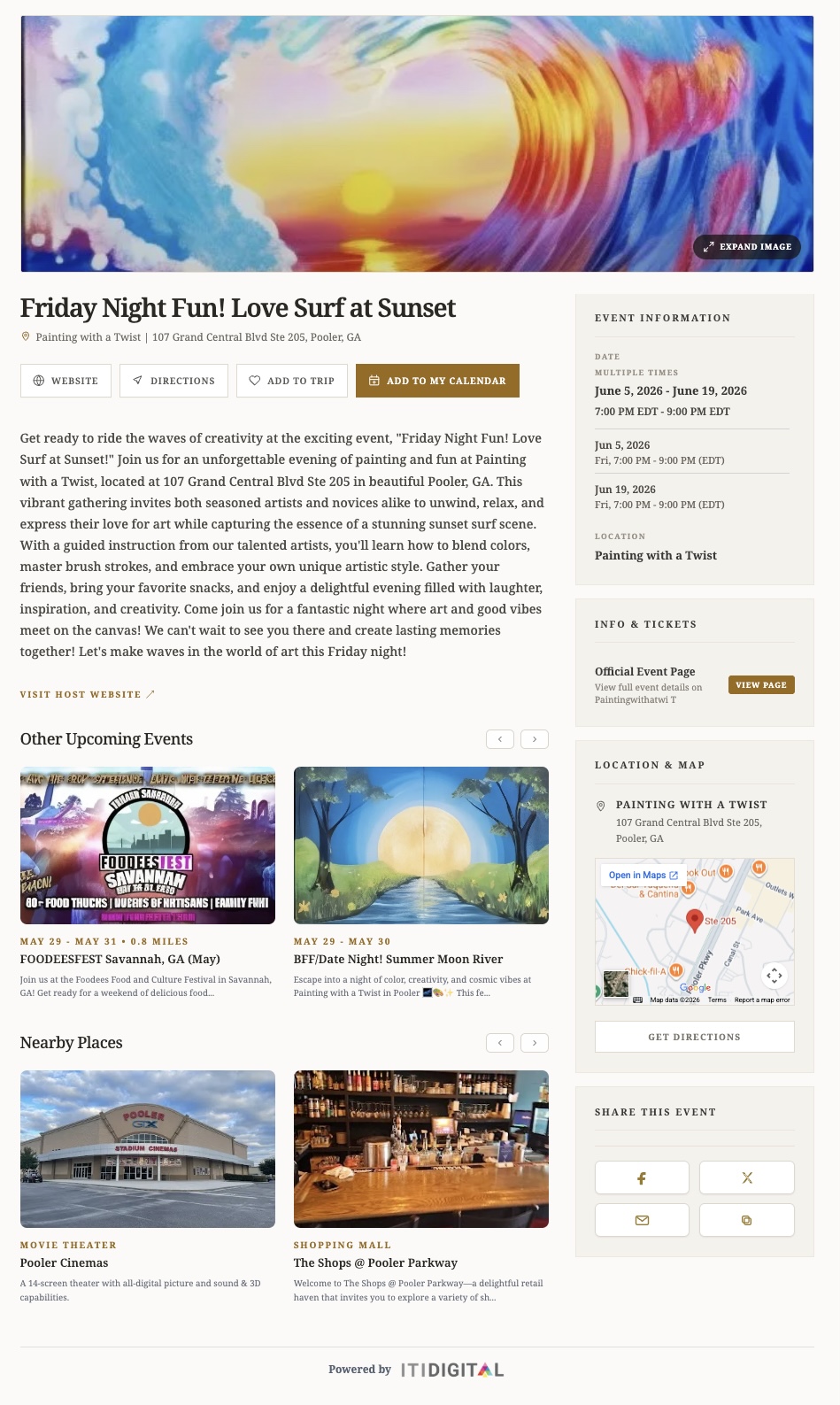
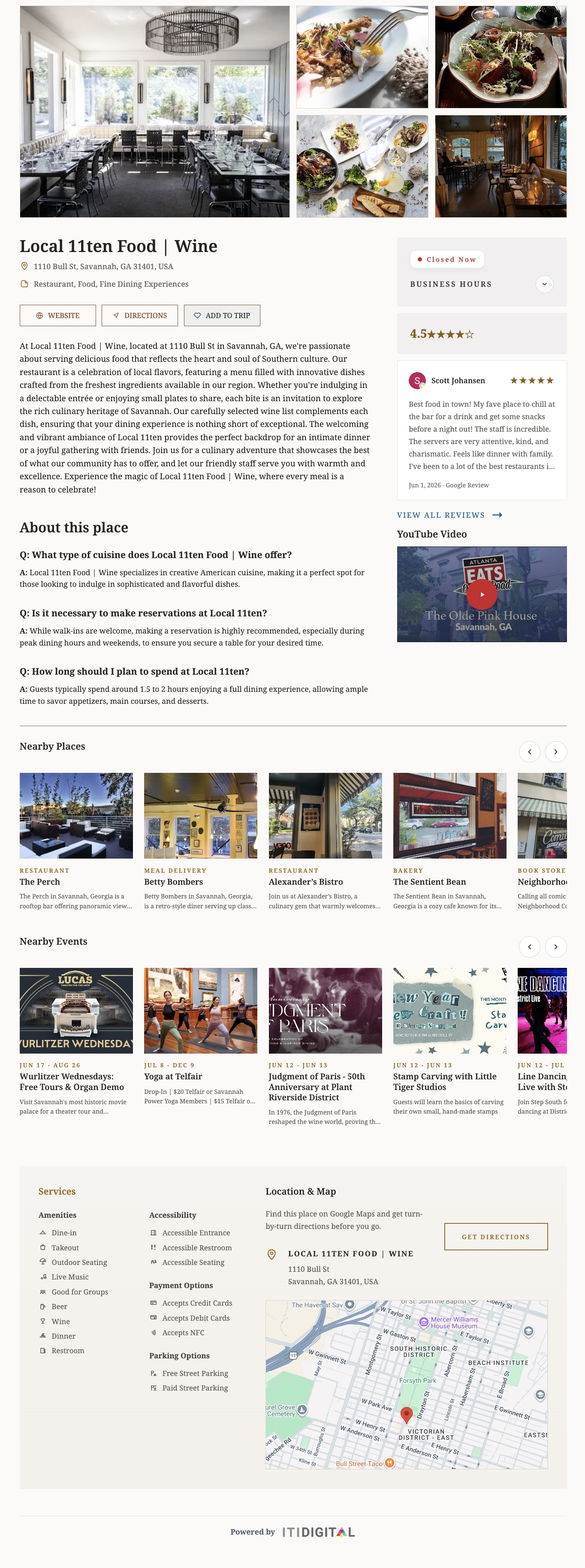
Example of HTML Layout Rendering: Events Calendar | Business Listing/Place
Best Practices & Recommendations
Choosing the Right Output Format
The SSR endpoints support both document and fragment output formats. For most integrations, fragment is recommended — it returns only the content block, which your platform wraps in its own page template. Use document only when you need a fully self-contained HTML page.
Enabling Widget Hydration
Setting includeWidget=true renders the SSR content first for crawler visibility, then automatically replaces it with the interactive Angular widget once it loads. This gives you both SEO coverage and a full interactive experience without duplicating effort.
Building Detail Page Routes
For SEO-focused implementations, always use dedicated detail page routes (ssrDetail=true) rather than popup-based navigation. Dedicated routes generate indexable URLs, allow canonical tags to be applied correctly, and ensure structured data is present in the page source.
Extracting IDs from Name-ID Slugs
You do not need a separate lookup to resolve an event or place ID. Simply extract everything after the final hyphen in the name-ID slug (e.g. yoga-at-telfair-693bf7ccd1170347e2a1cd2b → 693bf7ccd1170347e2a1cd2b).
Validating AI & Search Crawler Visibility
Always validate using View Source, not the browser inspector. The inspector shows the live DOM after JavaScript has run; View Source shows what crawlers actually receive. Confirm that page content, canonical URL, meta title, meta description, and JSON-LD structured data are all present in the raw source before going live.
Downloadable Technical Guide
The full SSR API Integration Guide is available at the link below. It covers all endpoint parameters, response shapes, asset delivery options, webhook configuration, and a production deployment checklist.
Please note:
- API access is provided to third-party partners at ITI Digital's discretion.
- The API Secret Key is unique to each DXP customer, and its use must comply with our Terms of Service, whether by the customer or by a third-party system.
https://dxp.iti-digital.com/developer/ssr-api
Need Help? Contact Us!
Have questions or need assistance? We're here for you.
Email: support@itidigital.freshdesk.com
Phone: (912) 250-2689
Helpdesk Portal: Submit a Ticket
Was this article helpful?
That’s Great!
Thank you for your feedback
Sorry! We couldn't be helpful
Thank you for your feedback
Feedback sent
We appreciate your effort and will try to fix the article