ITI Digital's Smart Business Listings use Google Categories by default. These are the categories selected by the business owner in their Google Business Profile.
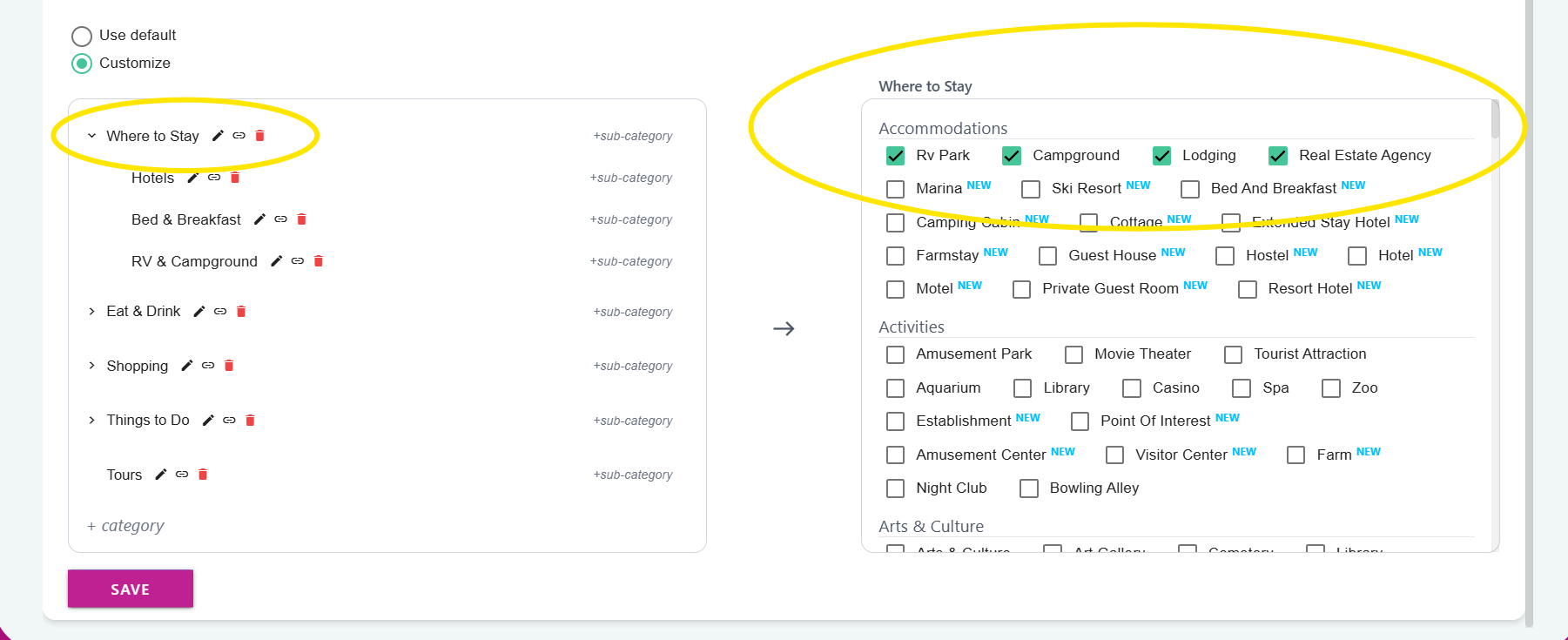
When Customized Categories are enabled, you may choose which Google categories are linked to your new custom categories. Any Google Categories linked with a Custom Category will be visible to your website visitors in that Custom Category.
In the screenshot example below, the Google categories RV Park, Campground, Lodging, and Real Estate Agency have been linked with the Custom Category 'Where to Stay.'
See the complete video tutorial here!
Google Categories not not need to be linked to your custom categories, but it is MUCH easier to organize and manage your listings in this way.
Important note!
Businesses without a linked category are not visible on your website until a Custom Category has been assigned!
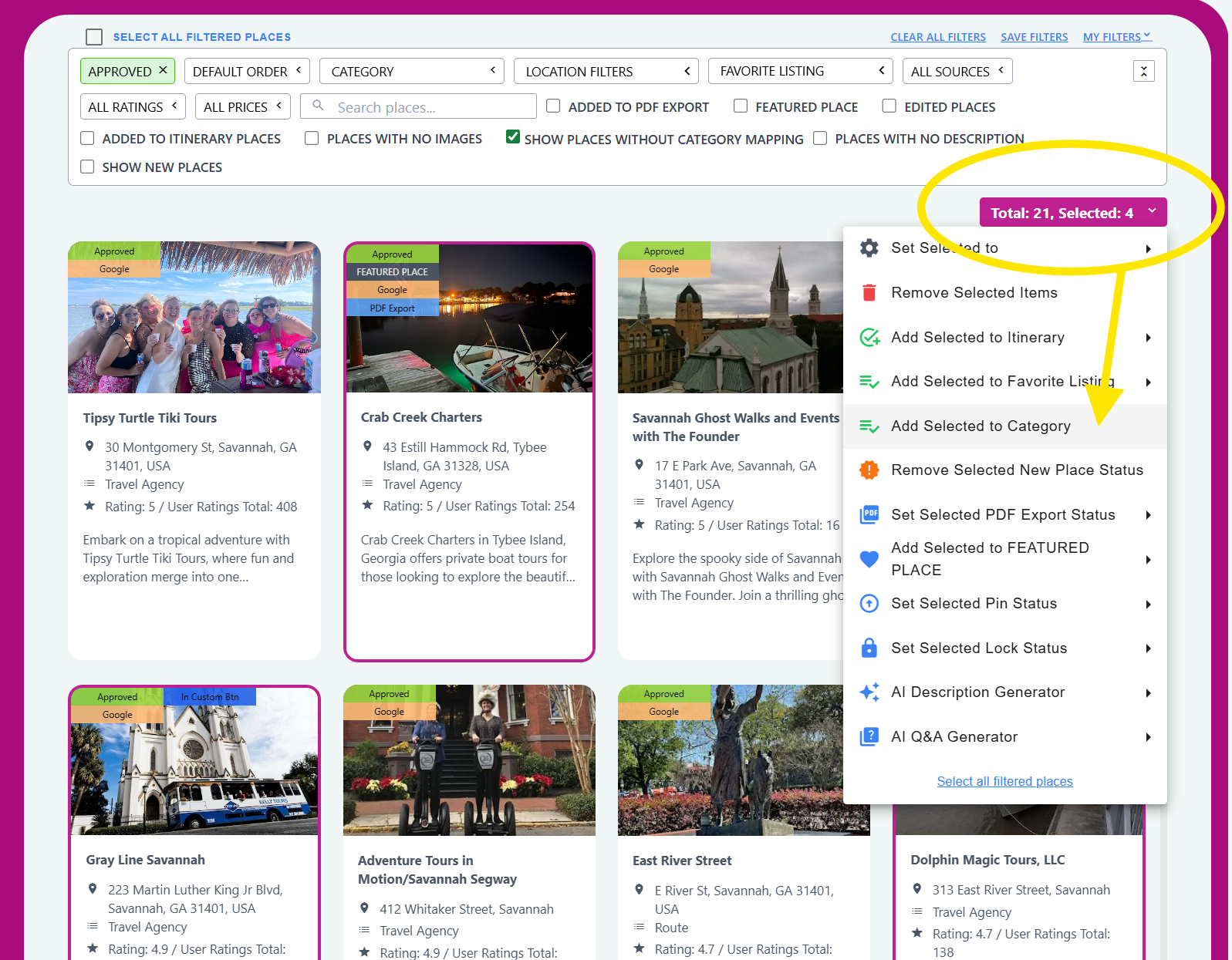
The DXP Dashboard has a simple way to view all Business listings that require a Custom Category assignment, simply click the 'Show Places Without Category Mapping' button to view and categorize them. Use the bulk category tool to quickly accomplish this task!

Was this article helpful?
That’s Great!
Thank you for your feedback
Sorry! We couldn't be helpful
Thank you for your feedback
Feedback sent
We appreciate your effort and will try to fix the article