Save time while editing your Smart Business Listing categories, you can now assign categories to Business Listings in bulk! While users can still categorize individual Business Listings as you did before, you can now assign categories to as many Business Listings as you wish.
✅ Save time and reduce errors while categorizing Business Listings
✅ Categorize any number of Business Listings in one step, instead of one business at a time
✅ Makes creating new categories or adjusting your category assignments a breeze!
Watch a quick video demonstration here!
How To: Bulk Category Assignment for Places:
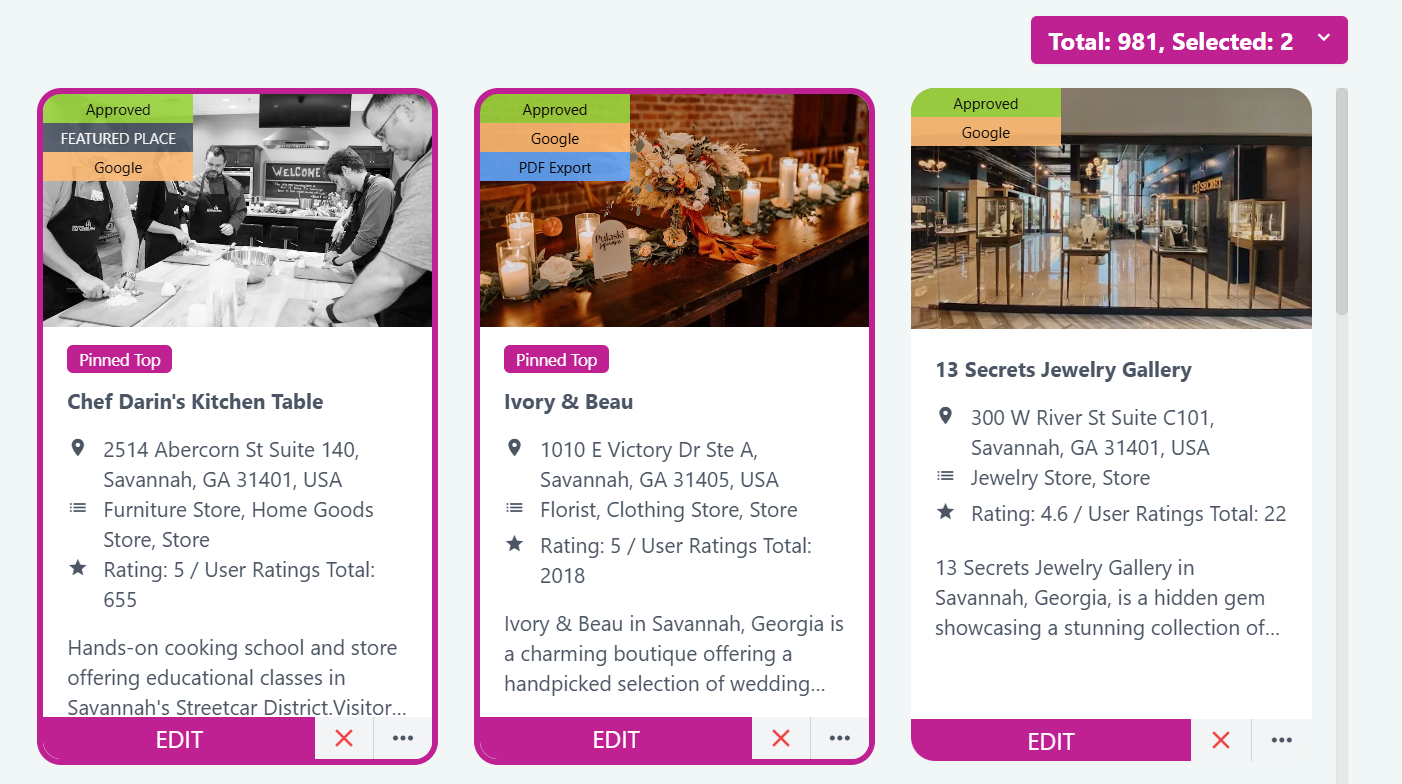
Step 1: Select the Business Listings you wish to categorize by clicking on the card, which highlights the listing.
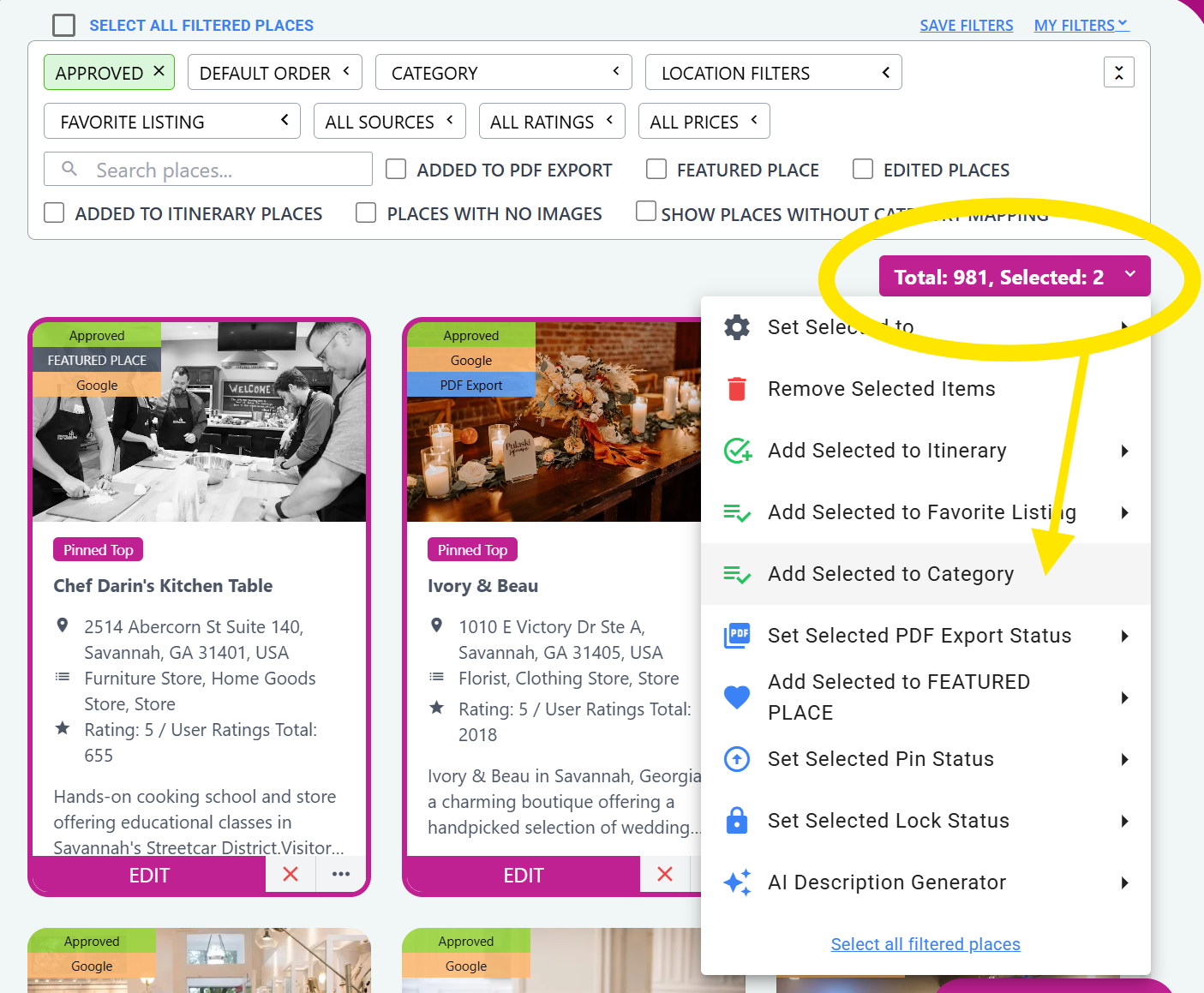
Step 2: Click on the Selected Places button, then click on Add Selected to Category:
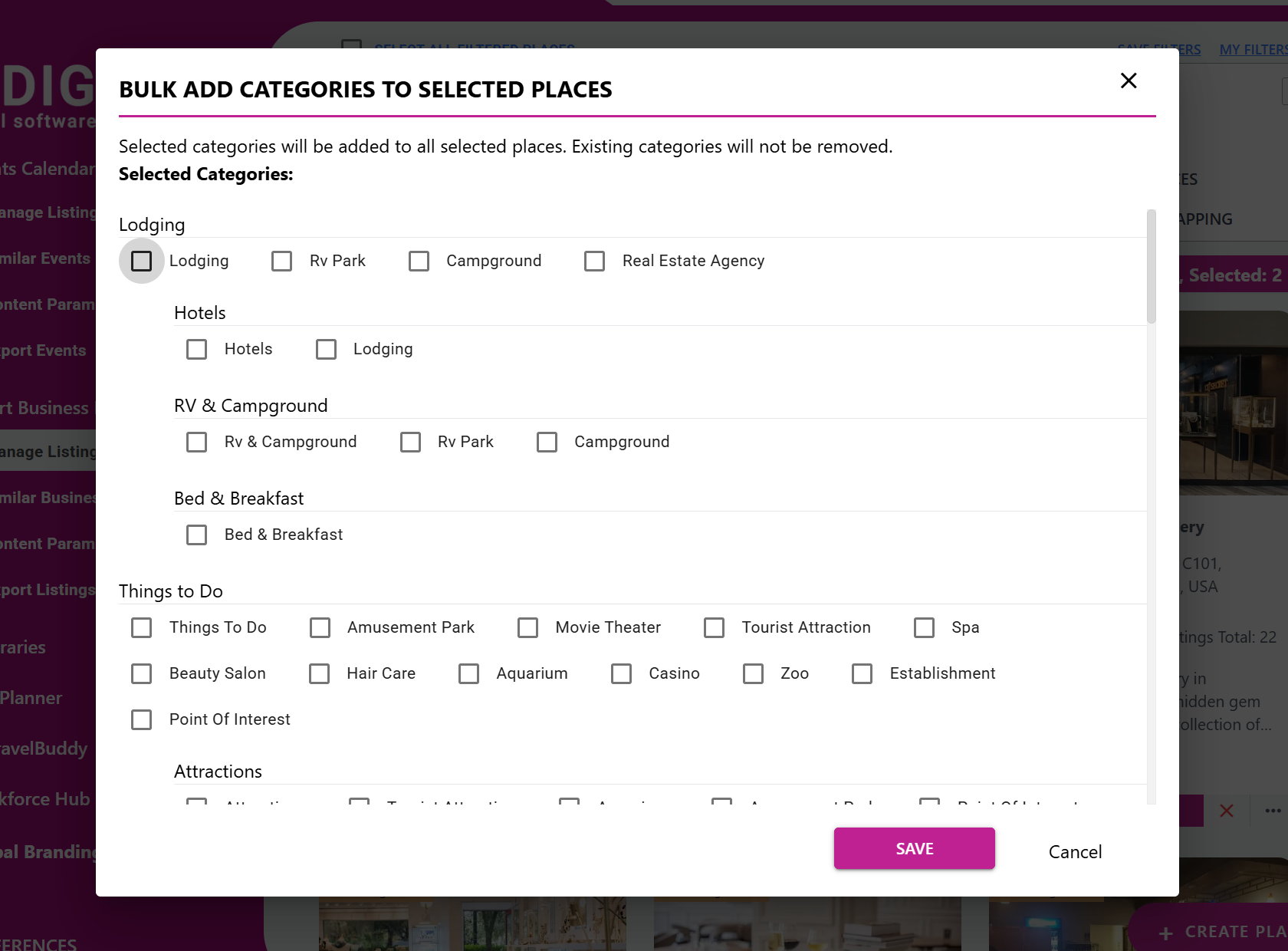
Step 3: Click the checkboxes to assign categories to the selected Business Listings, then click Save!
Useful hints:
- Use Location or existing Category filters to narrow down the Business Listings you are looking for
- Show Places Without Category Mapping checkbox: View all of the Business Listings in your Dashboard that are not categorized!

If you need any assistance with your Smart Business Listings, don't hesitate to reach out to support@itidigital.freshdesk.com or open a ticket in our support portal if you have any questions!
https://itidigital.freshdesk.com/support/home
Was this article helpful?
That’s Great!
Thank you for your feedback
Sorry! We couldn't be helpful
Thank you for your feedback
Feedback sent
We appreciate your effort and will try to fix the article